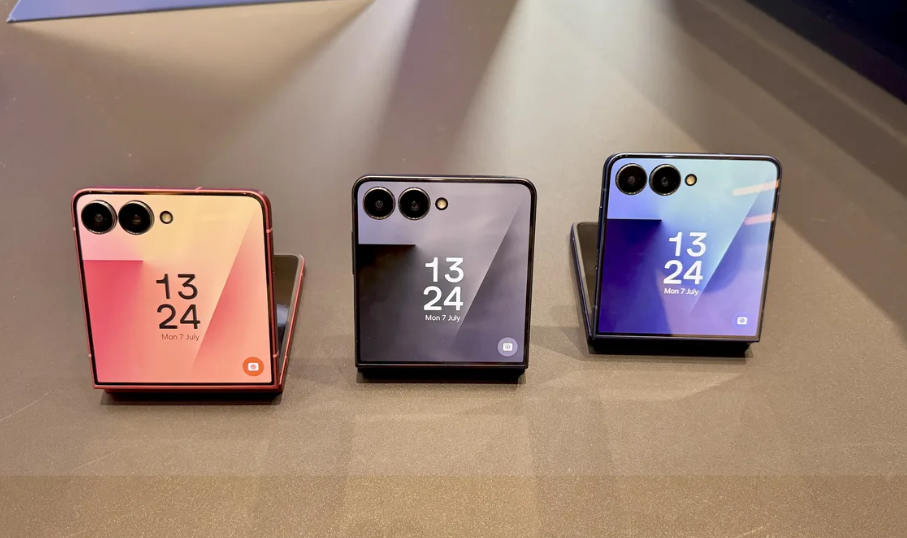

As flexible mobile hardware expands in physical display dimensions, operating system software must adapt to support true parallel execution. Early foldable smartphones relied on simple split-screen modes, effectively running two isolated phone-like apps side-by-side.
In modern foldable platforms, the Samsung Flip 8 and Samsung Fold 8 use advanced multi-instance canvas architectures. Operating multi-window layouts, floating pop-up views, and cover-to-main display state handoffs across variable aspect ratios requires coordinated system engineering.
Behind these smooth user interfaces lies a complex system pipeline that balances LPDDR5X RAM buffer management, Android Window Manager composition, and Vulkan-accelerated GPU graphics execution.
1. Operating System Window Manager Mechanics
Managing multi-instance canvases requires transitioning from traditional single-window rendering pipelines to a multi-surface composition engine. The System UI subsystem handles multiple viewports that dynamically adapt when a device is folded, unfolded, or rotated.
Dynamic Aspect-Ratio Viewport Calculation
When launching apps on the Samsung Fold 8—which features a wide internal display—or handing off active tasks on the Samsung Flip 8’s cover display, the OS calculates viewport matrices on the fly:
- Configuration Vector Invalidation: When the device unfolds, a global configuration change event triggers onConfigurationChanged(). Instead of tearing down and restarting active app tasks, the window manager updates the surface scale matrix without destroying application states.
- Letterboxing and Pillarboxing Isolation: For legacy applications without native flexible aspect-ratio support, the compositor creates isolated sub-canvases surrounded by hardware-level black padding. This isolates the app’s coordinate system from the wider display geometry without triggering visual distortion.
2. LPDDR5X RAM Buffer Management and Multi-Task Memory Allocations
Running multiple apps simultaneously places high demand on system memory bandwidth. The system must allocate unified RAM buffers efficiently to prevent frame drops across active canvas windows.
See also: Dive into the Latest Technological Marvels Shaping
Gralloc Buffer Allocation
Graphics rendering relies on the Gralloc (Graphic Allocation) memory manager. Each visible canvas window requests zero-copy shared memory buffers directly from the system allocator:
- Triple-Buffering Overhead: Smooth 120Hz display rendering requires three hardware buffers per active window (Front, Back, and Render buffers). When running three apps side-by-side on a wide display, the graphics subsystem manages nine simultaneous high-resolution display buffers without introducing memory pipeline bottlenecks.
- Direct DMA-BUF Sharing: To avoid copying large image arrays between system memory and GPU memory, the OS uses Direct Memory Access buffers (dma_buf). This allows the GPU to read pixel data generated by application processors with zero copy overhead.
Low Memory Killer (LMK) Prioritization
When memory usage approaches full capacity, the Android Low Memory Killer Daemon (lmkd) manages process priority based on Out-Of-Memory (OOM) adjustment scores (oom_score_adj):
| Canvas Window State | OOM Score Range | System Eviction Behavior |
| Active Primary Focused Window | 0 (Foreground) | Highest memory priority; guaranteed uncompressed CPU and GPU memory buffers. |
| Visible Unfocused Split Window | 100–200 (Visible) | High priority; graphics buffers remain pinned in physical RAM to prevent redrawing delays. |
| Floating Pop-Up / Picture-in-Picture | 200–300 (Perceptible) | Medium priority; frame rate capped to display refresh sub-multiples if memory pressure rises. |
| Minimized / Cover-Folded Task | 500+ (Cached) | Low priority; process state compressed into zRAM using LZ4/ZSTD compression. |
3. Vulkan-Accelerated GPU Compositing and Hardware Overlays
Once window layouts and memory buffers are calculated, the system composites these separate visual streams into a single image to send to the display panel.
SurfaceFlinger and Hardware Composer (HWC) Mechanics
The SurfaceFlinger system daemon uses hardware overlays to composite screen elements efficiently:
- Direct Plane Assignment: The Hardware Composer (HWC) assigns distinct display planes directly to dedicated hardware processing blocks. If three non-overlapping windows sit on the screen, HWC routes them directly to display controllers without invoking the main GPU, reducing power draw.
- GPU Fallback Composition: When a user opens semi-transparent floating pop-up windows or applies rounded window corner effects, hardware overlays cannot process the complex blending operations alone. SurfaceFlinger switches affected areas to a Vulkan GPU composition pipeline, blending layers in off-screen framebuffers before final display output.
Display Sub-System Refresh Rate Synchronization
Foldable display panels use LTPO (Low-Temperature Polycrystalline Oxide) backplanes capable of dynamic refresh rates ranging from 1Hz to 120Hz.
When multiple windows are open on screen simultaneously, managing these dynamic refresh rates introduces additional complexity:
- Multi-Window Frame Rate Alignment: If Window A contains a 24fps video stream while Window B is being scrolled at 120Hz, the display subsystem evaluates both frame rates.
- Phase-Locked Refresh Matching: The display controller sets its panel refresh rate to 120Hz (a direct integer multiple of 24fps), using frame insertion techniques to render the video smoothly without causing visual tearing in the scrolling application window.
4. Architectural Form Factor Comparison: Flip 8 vs. Fold 8
While both devices run on similar underlying One UI software frameworks, their physical screen dimensions require different display management strategies.
Samsung Flip 8: Cover-to-Main Continuity Bridge
- Rapid Viewport Transitioning: Opening the Samsung Flip 8 transitions active applications from the compact cover screen to the 6.9-inch main inner display.
- State Preservation Pipeline: The OS saves the active window state, recalculates the display resolution matrix, and redirects the hardware rendering pipeline from the secondary screen controller to the primary display driver with minimal frame latency.
Samsung Fold 8: Parallel Canvas Execution
- Multi-Window Grid Processing: The Samsung Fold 8 leverages an expanded inner display canvas, allowing up to three full application windows alongside multiple floating pop-up views.
- High-Bandwidth Graphics Pipeline: Handling multiple high-resolution app canvases requires dedicated LPDDR5X RAM channels and increased GPU composition pipelines, ensuring stable frame rates across large multi-tasking workspaces.
Engineering Summary
The multi-instance canvas capabilities of the Samsung Flip 8 and Samsung Fold 8 rely on tight integration between software display pipelines and processing hardware.
By combining dynamic window manager layout logic, zero-copy Gralloc memory management, and Vulkan-accelerated GPU composition, these foldable devices deliver smooth multitasking performance while maintaining power efficiency across flexible display form factors.

 By
By


 By
By